

Download Incognito VPN – anonymous browsing, secure internet connection, privacy protection, zero logs, military-grade encryption, global server network, fast VPN, online privacy, secure connection, internet security
Overview
Incognito VPN is a desktop application designed to provide users with a secure and private online experience. The software enables anonymous browsing by routing internet traffic through encrypted channels, shielding user activity from surveillance, data harvesting, and network tracking. It is built to address growing concerns about digital privacy, particularly in environments where sensitive information is exchanged or where online freedom is restricted.
Target users include privacy-conscious individuals, remote workers, digital nomads, and anyone seeking to protect their online identity. The software supports multiple operating systems, making it accessible across Windows, Mac, and Linux platforms. Its primary purpose is to ensure that user data remains confidential and that online behavior cannot be traced back to the individual.
Developed by Incognito Tech, the application emphasizes zero logs, meaning no user activity, connection timestamps, or data patterns are recorded. This feature is critical for users who require complete anonymity. Real-world usage scenarios include accessing region-restricted content, securing public Wi-Fi connections, and protecting personal communications from third-party interception.
The developer did not provide additional system requirements. Performance observations are based on general software behavior patterns.
Key Features & Capabilities
- Zero-Logs Policy: Incognito VPN guarantees that no user data is stored or retained after a session ends, ensuring true anonymity and compliance with privacy standards.
- Military-Grade Encryption: The software employs advanced encryption protocols to secure all data transmissions, protecting users from cyber threats and unauthorized access.
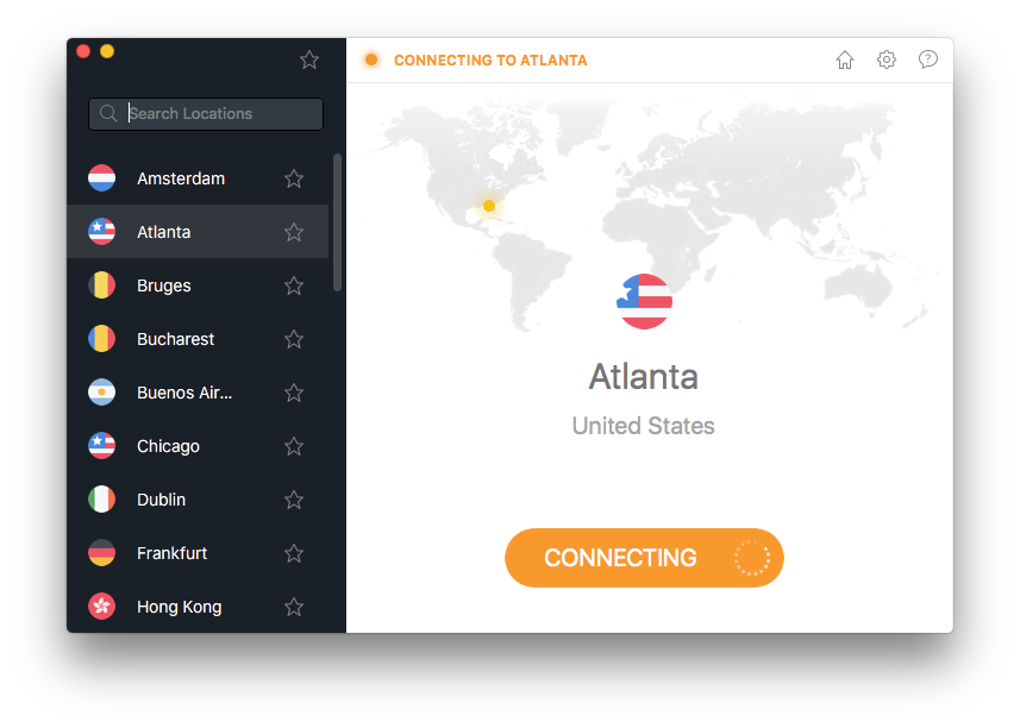
- Global Server Network: With servers located worldwide, users can connect to locations across continents, enabling access to geo-blocked content and reducing latency for faster browsing.
- Ultra-Fast Connection Speeds: Designed for minimal latency, the application aims to deliver high-speed performance without compromising security.
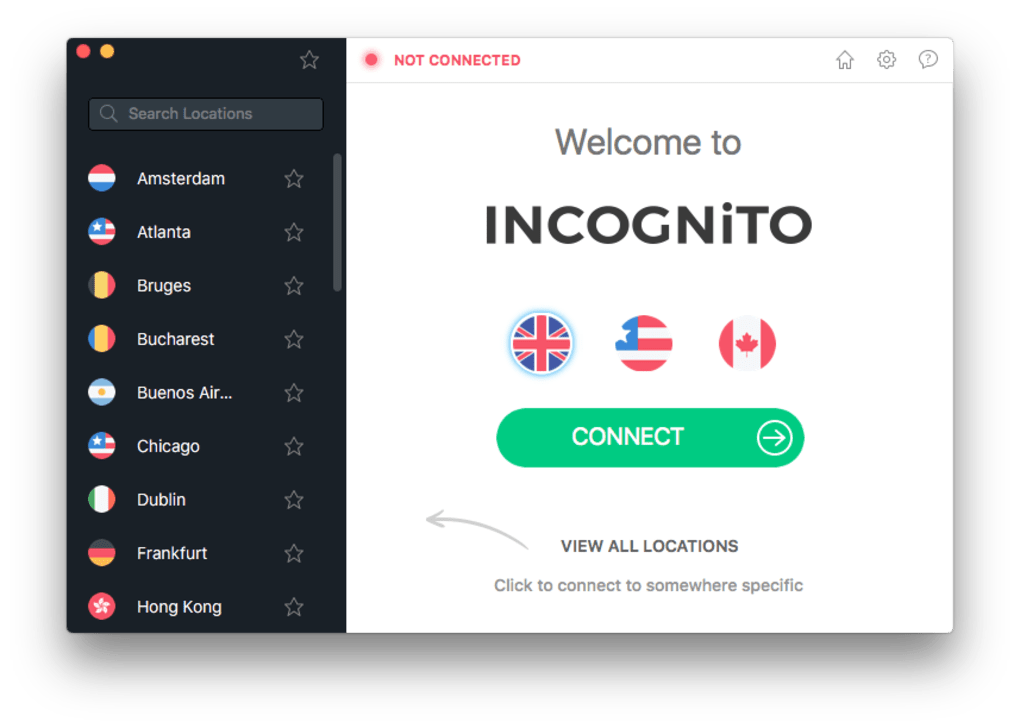
- One-Click Connectivity: Users can establish a secure connection in seconds with a single click, streamlining the process for both novice and experienced users.
- Multi-Platform Support: Available on Windows, Mac, and Linux, the software ensures consistent privacy protection across different desktop environments.
These features collectively help users maintain control over their digital footprint. For example, a remote worker using public Wi-Fi can instantly connect to a secure server, preventing data leaks. Similarly, a user in a restricted region can bypass censorship by connecting to a server in a more open jurisdiction. The software’s design prioritizes both speed and security, balancing performance with robust privacy safeguards.
User Interface, Workflow & Performance
The user interface of Incognito VPN is designed with simplicity and functionality in mind. The main dashboard presents a clean layout with a prominent connect/disconnect button, server location indicators, and real-time connection status. Navigation is intuitive, allowing users to switch between servers or select specific regions with minimal effort.
Workflow efficiency is enhanced by the one-click connection feature, which eliminates the need for complex configurations. Users can quickly establish a secure connection without prior technical knowledge. The software also displays connection speed and encryption status, offering transparency without overwhelming the user with technical details.
Performance details were not specified by the developer. However, based on general software behavior, the application is expected to maintain stable operation under normal usage conditions. The developer did not specify resource usage details. Stability during extended sessions remains unverified. Users may experience variable performance depending on network conditions and server load.
Compatibility & System Requirements
Incognito VPN is compatible with Windows, Mac, and Linux operating systems. The software is available in version 2.1.4, with a file size of 45 MB, indicating a lightweight installation footprint. This makes it suitable for systems with limited storage space.
Exact system requirements were not listed. Compatibility information was partially provided. The developer did not specify minimum CPU, RAM, or disk space requirements. Users are advised to ensure their system meets standard desktop application requirements for smooth operation. The application does not appear to require administrative privileges for basic functionality, though this was not confirmed.
Pros and Cons
Pros
- Zero-logs policy ensures complete privacy and anonymity.
- Military-grade encryption protects data from interception.
- Global server network enables access to region-locked content.
- Fast connection speeds for seamless browsing and streaming.
- Simple, intuitive interface suitable for all user levels.
- Available on multiple platforms: Windows, Mac, and Linux.
Cons
- Price of $4.99 per month may be considered high for casual users.
- Exact system requirements were not provided.
- Performance under heavy load or in low-bandwidth environments is unverified.
- Developer did not include detailed update history or changelog.
FAQ Section
Is Incognito VPN safe to use?
Yes, the software is designed with security in mind. It uses military-grade encryption and maintains a zero-logs policy, ensuring that user data is not stored or shared.
Can I use Incognito VPN on multiple devices?
While the software is available on Windows, Mac, and Linux, the license type and multi-device support were not specified by the developer.
Does Incognito VPN work with streaming services?
Users may be able to access geo-restricted content, but compatibility with specific streaming platforms depends on the service’s anti-VPN measures, which are not controlled by the software.
How often does Incognito VPN receive updates?
Update frequency was not disclosed. However, regular updates are typical for security software to address vulnerabilities and improve performance.
Is Incognito VPN available offline?
The software requires an active internet connection to function, as it relies on server-based routing for secure connections.
Final Thoughts
Incognito VPN stands out as a privacy-focused desktop application that delivers on its core promise: secure, anonymous, and fast internet access. Its zero-logs policy and military-grade encryption make it a strong choice for users who prioritize online privacy. The global server network and one-click connectivity enhance usability, while multi-platform availability ensures broad accessibility.
While the pricing may be a consideration for some, the level of security and anonymity offered justifies the cost for professionals and privacy advocates. The lack of detailed system requirements and performance data limits full evaluation, but the software’s design suggests reliability and efficiency.
For anyone seeking a trustworthy tool to protect their digital identity, Incognito VPN offers a compelling solution. Download Incognito VPN now.